Free Plagiarism Checker
Find copied text and see where it came from.
Free, no signup. See a sample report
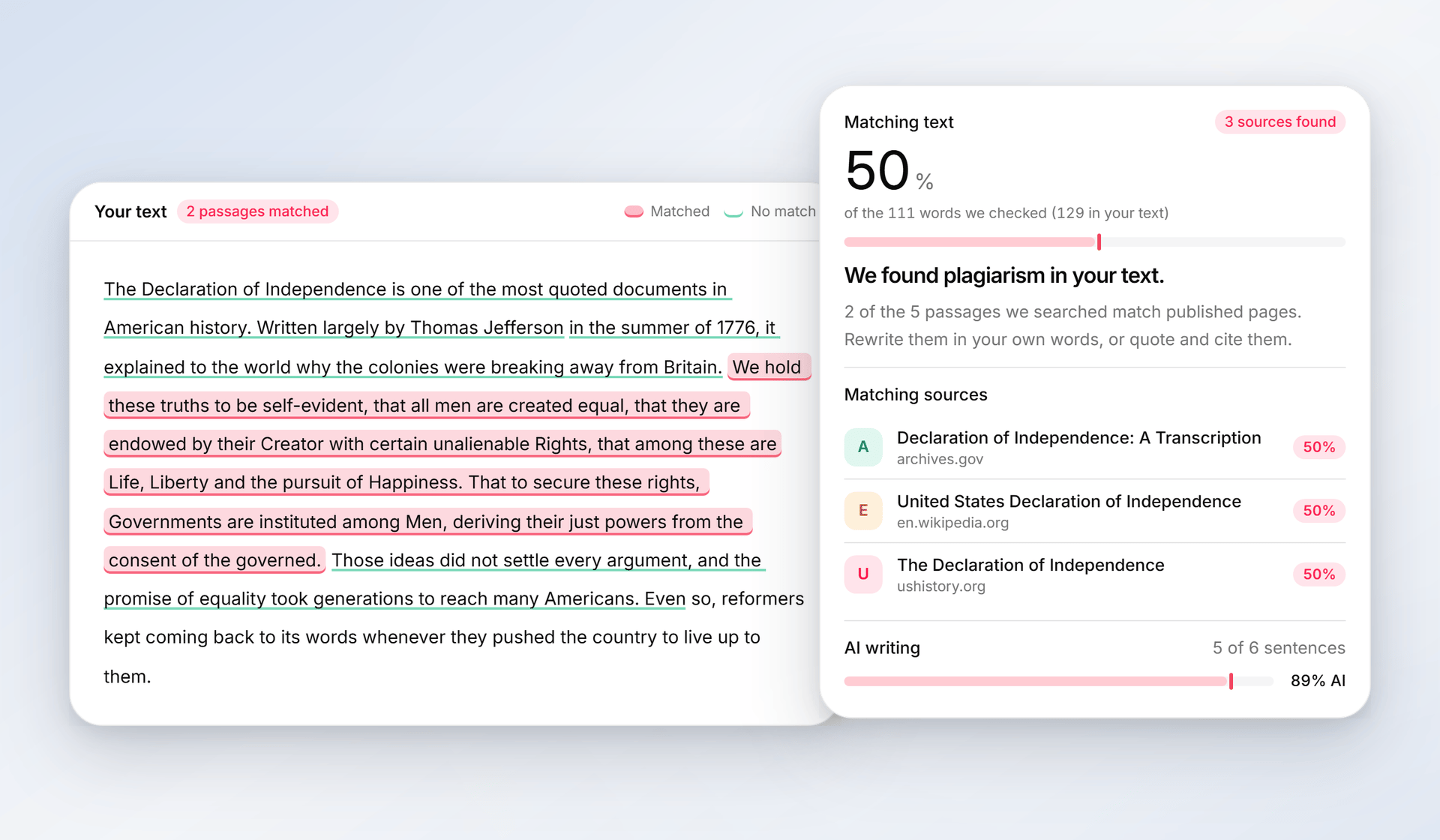
See which sites your text matches.
Phrasly searches the web for your most distinctive passages and shows which sites repeat your wording.
- The matching passages highlighted in your text
- Each source named by page title and site
- An AI check in the same scan
A citation you forgot
You noted the source while researching, then lost track of it while drafting. The idea stays in and the credit falls out.
Paraphrasing too closely
Swapping a few words keeps the original's structure, so a close paraphrase can still match its source almost word for word.
A quote without quote marks
A line copied into your notes loses its quotation marks on the way into the draft, and then it reads as your own words.
Reusing your own earlier work
Many schools and publishers treat reusing your own past paper or post as self-plagiarism unless you cite it.
Plagiarism is often an accident.
You did the reading and wrote it yourself, and borrowed wording still slips in. These are the usual ways it happens.
Free to try. No signup needed.
Check your draft in three steps
Paste your text
Drop in an essay, an article, or a report, anywhere from 50 to 5,000 words.
We search and check
We search the web for your most distinctive passages as exact phrases, then check the writing for AI.
Cite or rewrite
Review the sources that match. Quote and cite what you borrowed, or rewrite it in your own words and credit the idea.
Not just a percentage.
Sources you can verify
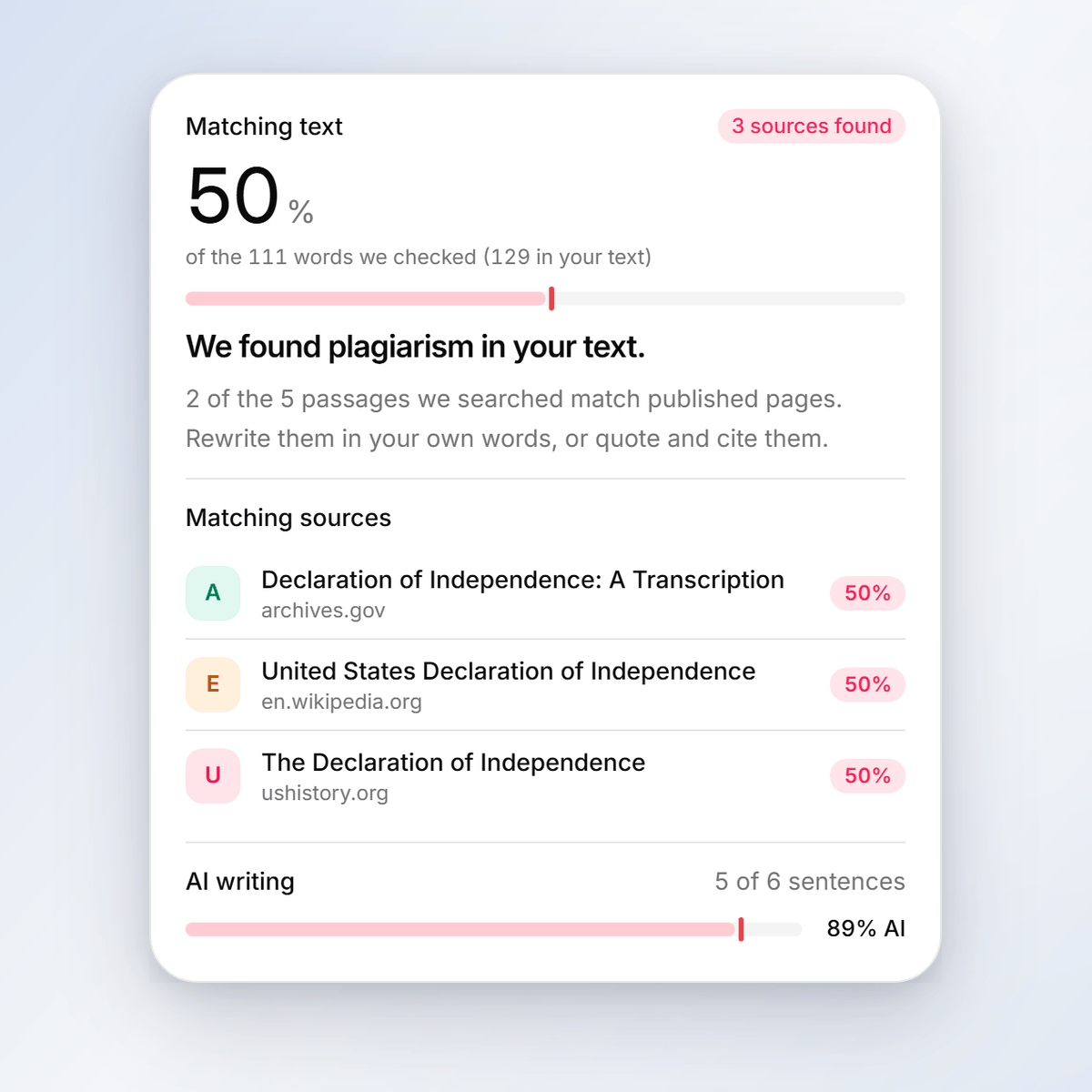
Every match names the page title and the site it came from.
Plagiarism and AI in one scan
One scan searches the web for matching passages and reads your writing for AI patterns.
Private by default
Your text is never stored or added to any database. To find matches, only short passages of it are searched on the web.
Free to check. Never stored.
Wherever originality matters
Essays and research papers
Check a draft before you hand it in. If a sentence sits too close to something you read, you see which source it matches while there is still time to cite it or put the idea in your own words.
Blog posts and SEO content
Publish posts that are yours, not echoes of the pages you read while researching them.
Client and agency work
Check freelance and team drafts before they reach a client, so every deliverable goes out as original work.
Newsletters and reports
Catch lines lifted from press releases and source material, and credit them properly before you send.
Applications and cover letters
Personal statements should sound like you. Make sure no lines from the examples you read slipped into yours.
A name behind every match.
Each matching source is listed by page title and site, with the share of your checked text it covers.
Free to try. No signup needed.
Frequently asked questions
Straight answers about sources, privacy, and what a plan adds.
Run a free checkWriters trust it
Free to try. No signup needed.
Using Phrasly responsibly
Phrasly helps you check your own writing before you share it. Cite what you quote: if you use someone else's words, put them in quotation marks, and credit their ideas even when you put them in your own words.
A match is a place to look closer, not a verdict. Quotes, citations, and common phrases match too, so read each source in context before you change anything.
Follow your school's, employer's, or client's rules on sources and on AI assistance, and disclose your use of writing tools where those rules ask you to. You are responsible for the work you submit.
Questions about acceptable use? Write to us at support@phrasly.ai. Our Terms of Service set out the full policy.
Free to check. Your text is never stored.
Check it's original before you hit send.
Free to check. No signup.